
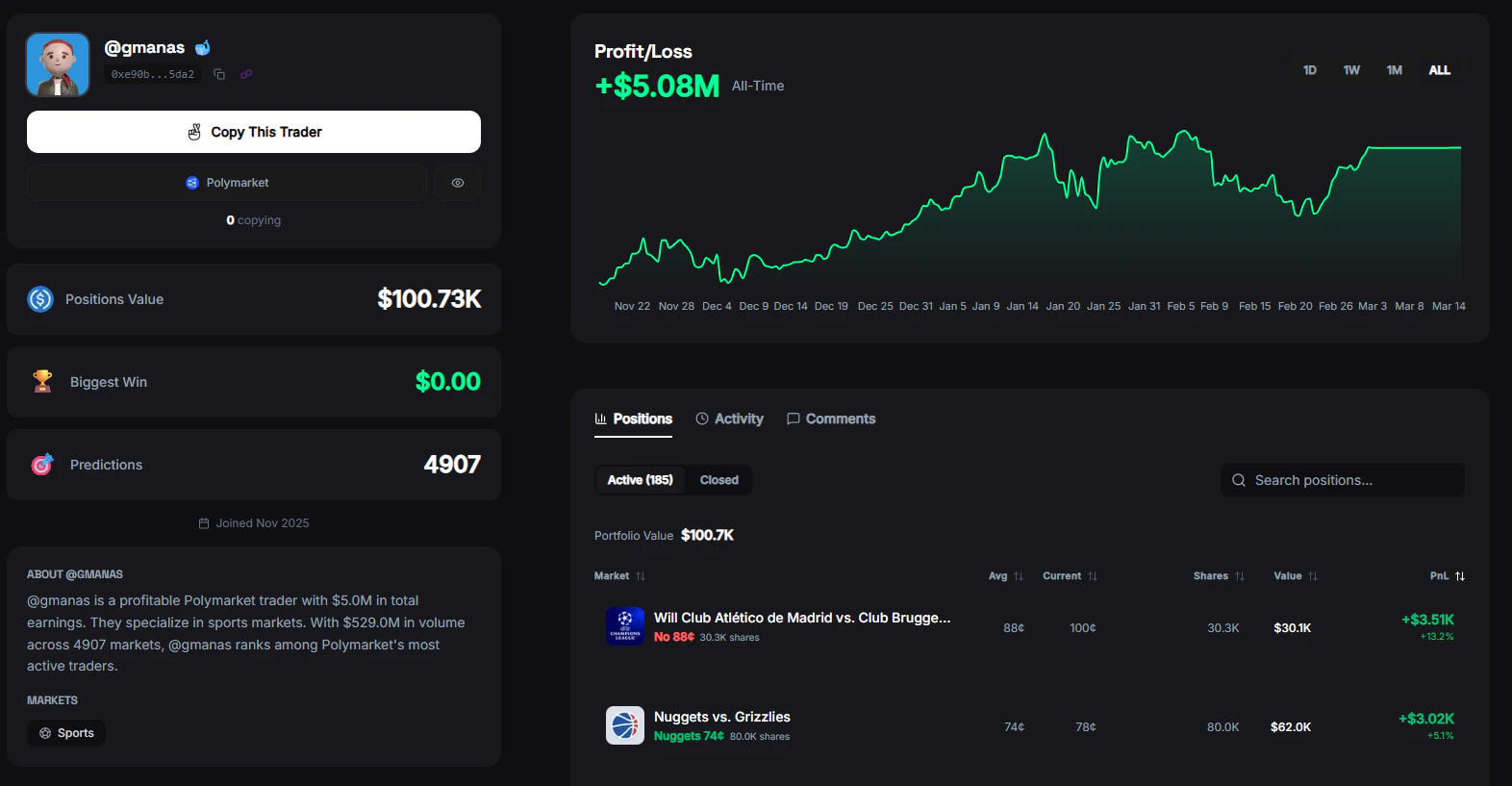
Trader Profile
Click on any trader from the leaderboard to see their full profile. Every profile includes detailed stats, open positions, trade history, and a PnL chart.Profile Overview
At the top of every trader profile:- Display name — Polymarket username or FrenFlow username (if linked)
- Avatar — Profile picture (FrenFlow avatar takes priority if they’re a user)
- Badges — FrenFlow user badge, tier badge (whale/shark/dolphin based on portfolio size)
- Bio — Short description (if set)
- Category breakdown — Which markets they trade most (Crypto, Politics, Sports, etc.)
Trading Stats
| Stat | Description |
|---|---|
| Total PnL | Lifetime profit or loss |
| Win Rate | Percentage of trades that were profitable |
| Wins / Losses | Total count of winning and losing trades |
| Volume | Total USD trading volume |
| Biggest Win | Largest single profitable trade |
| Markets Traded | Number of different markets entered |
| Position Value | Current value of open positions |
PnL Chart
A visual chart of the trader’s profit and loss over time. See their consistency, drawdowns, and growth trajectory at a glance.Open Positions
See every market the trader currently has an active position in:- Market name and current probability
- Position size (shares held)
- Entry price vs. current price
- Unrealized PnL
Recent Trades
A chronological list of the trader’s most recent trades:- Market traded
- Direction (Buy/Sell) and outcome (Yes/No)
- Amount and price
- When the trade happened
Actions
From any trader profile you can:- Copy Trader — Start automatically copying their trades
- Add to Watchlist — Track their activity without copying
- Share — Share the trader’s profile with your frens
From Telegram
Tap on any trader in the/leaders leaderboard to see their stats and start copying directly from the bot. You can configure copy mode, stake amount, and risk settings — all inline.